

Available on: All plans | Role: All users | Status: Generally Available
Overview
The AI Workspace is where you have AI-powered conversations. Each conversation happens within a teamspace — a dedicated chat environment connected to its own documents and AI configuration.Start a Conversation
1
Select a Teamspace
From the sidebar, choose the teamspace you want to chat in. Each teamspace has access to different documents and data sources.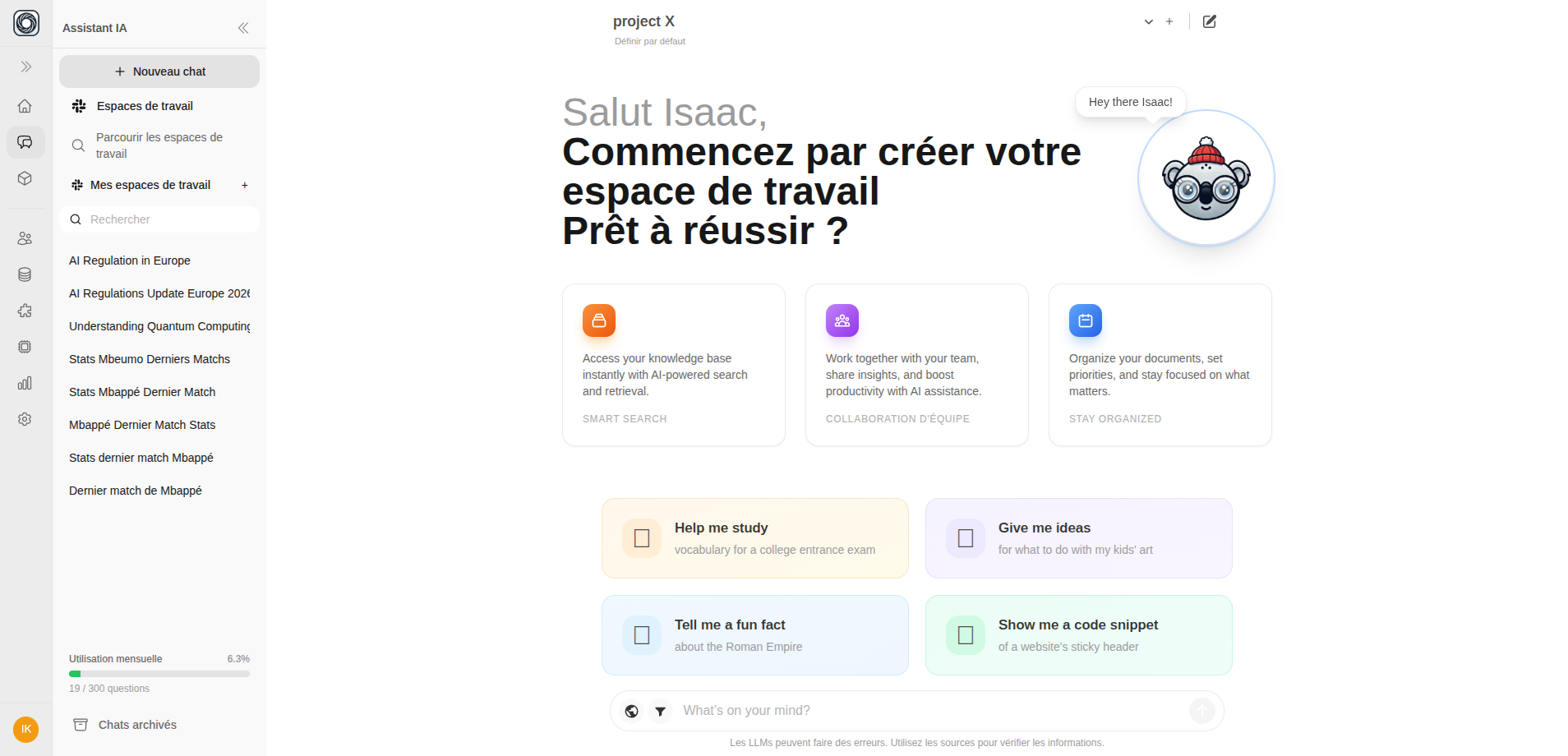
2
Type Your Question
Click the message input at the bottom of the screen and type your question. Press Enter to send.
3
Read the Response
The AI streams its response in real time. Look for:
- Document citations like
[1],[2]— click to see the source document - Web citations like
[W1],[W2]— when web search is enabled
Helpful Commands
While typing in the chat input, you can use these commands:Quick Actions
What’s Next?
Enable Web Search
Get answers from the internet alongside your documents
Filter Documents
Scope AI answers to specific files, tags, or namespaces
Share a Chat
Share conversations with colleagues via public link
Explore AI Boxes
Run automated AI workflows directly from chat