

Available on: All plans | Role: All users | Status: Generally Available
Overview
The Box Marketplace is where you discover, evaluate, and install AI Boxes. Browse by category, search by keyword, compare features, and install in minutes through a guided wizard.Browsing the Marketplace
Navigate to AI Boxes > Marketplace to explore available Boxes.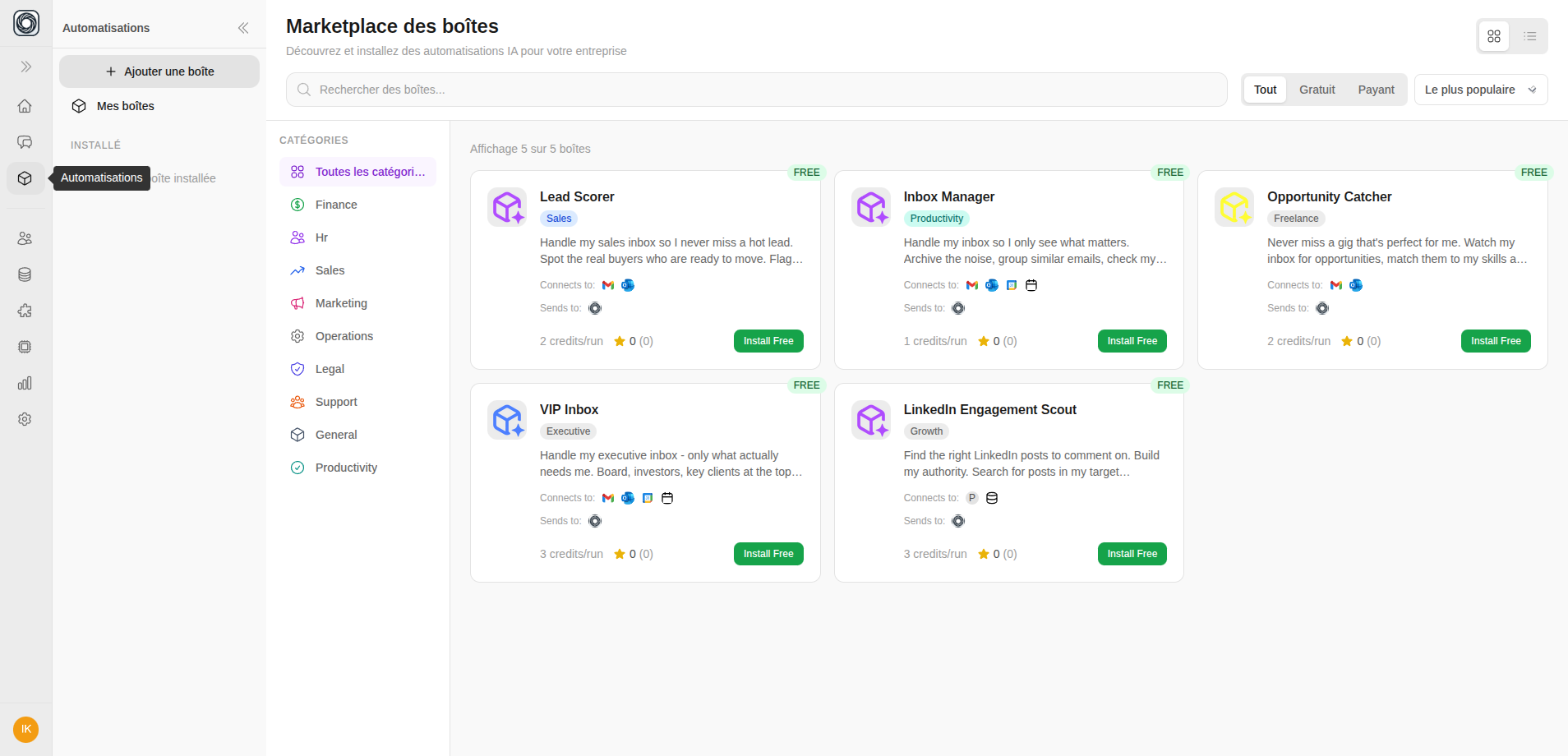
Search & Filter
Box Cards
Each marketplace card shows:- Box name, icon, and category
- Short description
- Credit cost per run
- Star rating and install count
- “Installed” badge if already installed
Viewing Box Details
Click a Box card to see the full detail page:- Detailed description (markdown)
- Required connection slots (which apps you’ll need)
- Workflow steps (how the Box processes data)
- Input/output definitions
- Version number and reviews
Installing a Box
Click Install to open the adaptive Install Wizard:1
Overview
Review what the Box does, what connections it needs, and the estimated credit cost per run.
2
Connect Apps
For each required connection slot, link your app account. If you haven’t connected the app yet, you’ll be prompted to do so.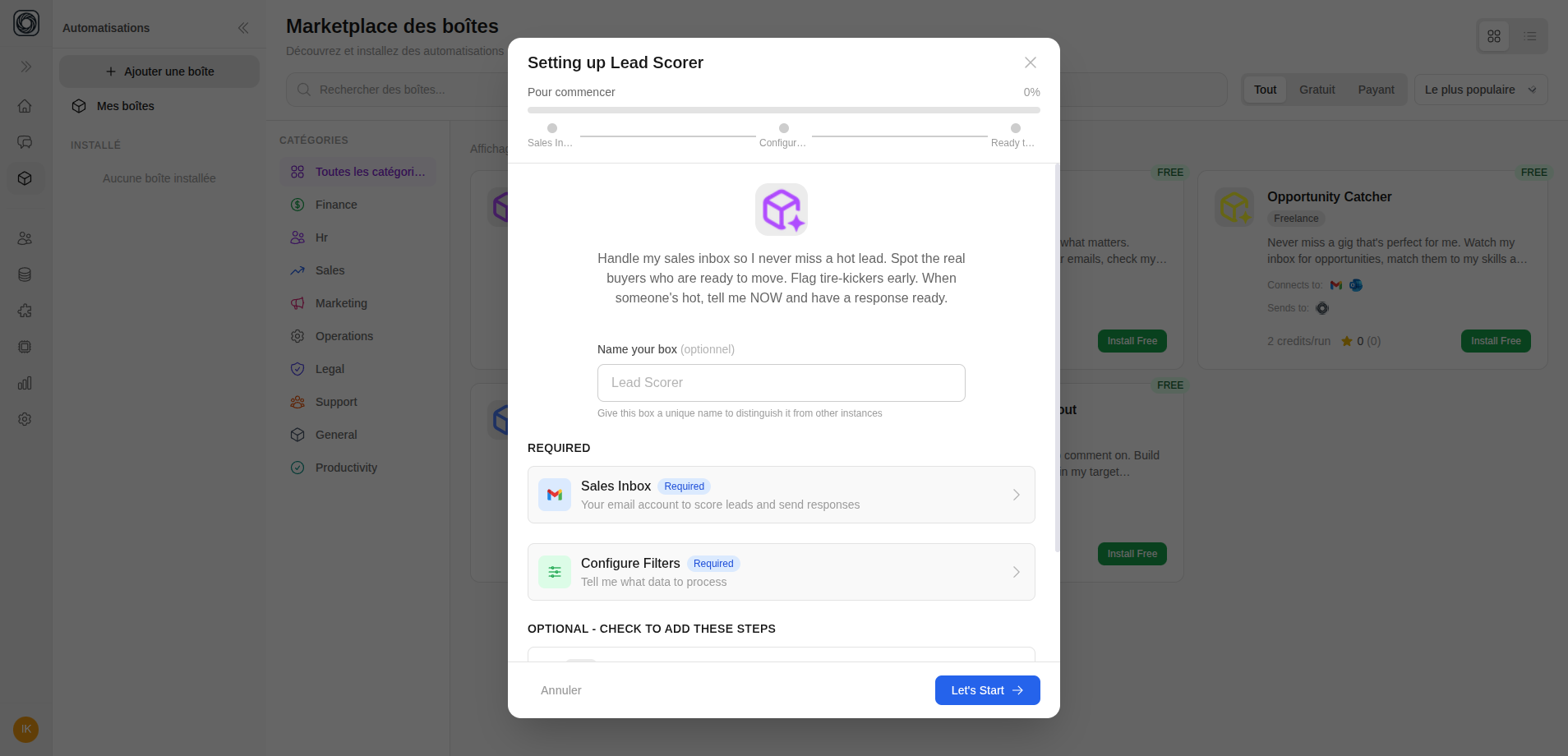
3
Configure Outputs
Choose where results are delivered:
- Show in App — View results in Mnemetic
- Slack — Send results to a Slack channel
- Email — Get results via email
4
Set Filters
Configure input filters to scope what the Box processes (e.g., only emails from specific domains, only documents with certain tags).
5
Advanced Settings
Optionally configure:
- Schedule — Set up automatic runs
- AI Model — Choose which model to use
- Notifications — Alert preferences
6
Review & Go Live
Review your configuration. Choose to:
- Go Live — Activate the Box immediately
- Test Run — Install and run a test first
- Go to Settings — Install without activating
Browse the marketplace →
Open the AI Box marketplace and install your first Box