

Available on: All plans | Role: All users | Status: Generally Available
App Layout
Mnemetic is organized into a clean, pillar-based navigation system: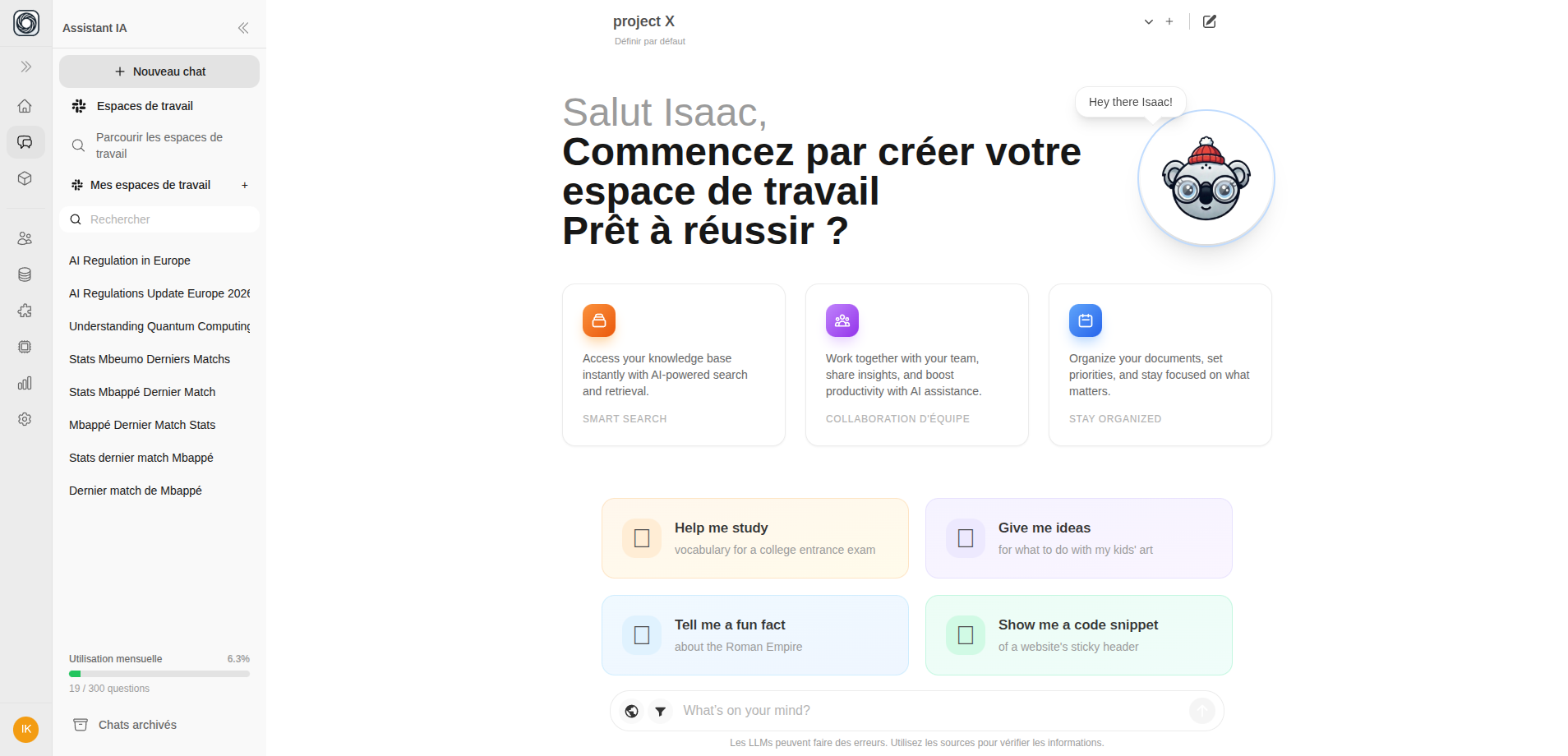
Left Sidebar (Primary Rail)
The left sidebar is your main navigation. At the top is your Home dashboard, followed by the three core pillars:
Below the pillars, you’ll find workspace management links (visible based on your role):
Collapsing the Sidebar
Click the chevron button at the top of the sidebar to collapse it to icon-only mode. This gives you more screen space for your current work. Click again to expand.Top Navbar
The top bar shows:- Teamspace selector — Switch between teamspaces
- New Chat button — Start a fresh conversation
Mobile Navigation
On mobile devices, the navigation adapts:- The left sidebar becomes a slide-out drawer (swipe or tap the menu icon)
- A bottom tab bar provides quick access to the main pillars
- Chat history appears in the mobile drawer